Connect your server
Enter its address and your Uptime Kuma credentials. Two-factor authentication is supported.
THE MOBILE COMPANION FOR UPTIME KUMA


THE ESSENTIALS, RIGHT WHERE YOU NEED THEM
From a quick glance to the details of an incident, useful information is always easy to find.
Uptime, latency, incidents and history: your infrastructure's health at a glance.
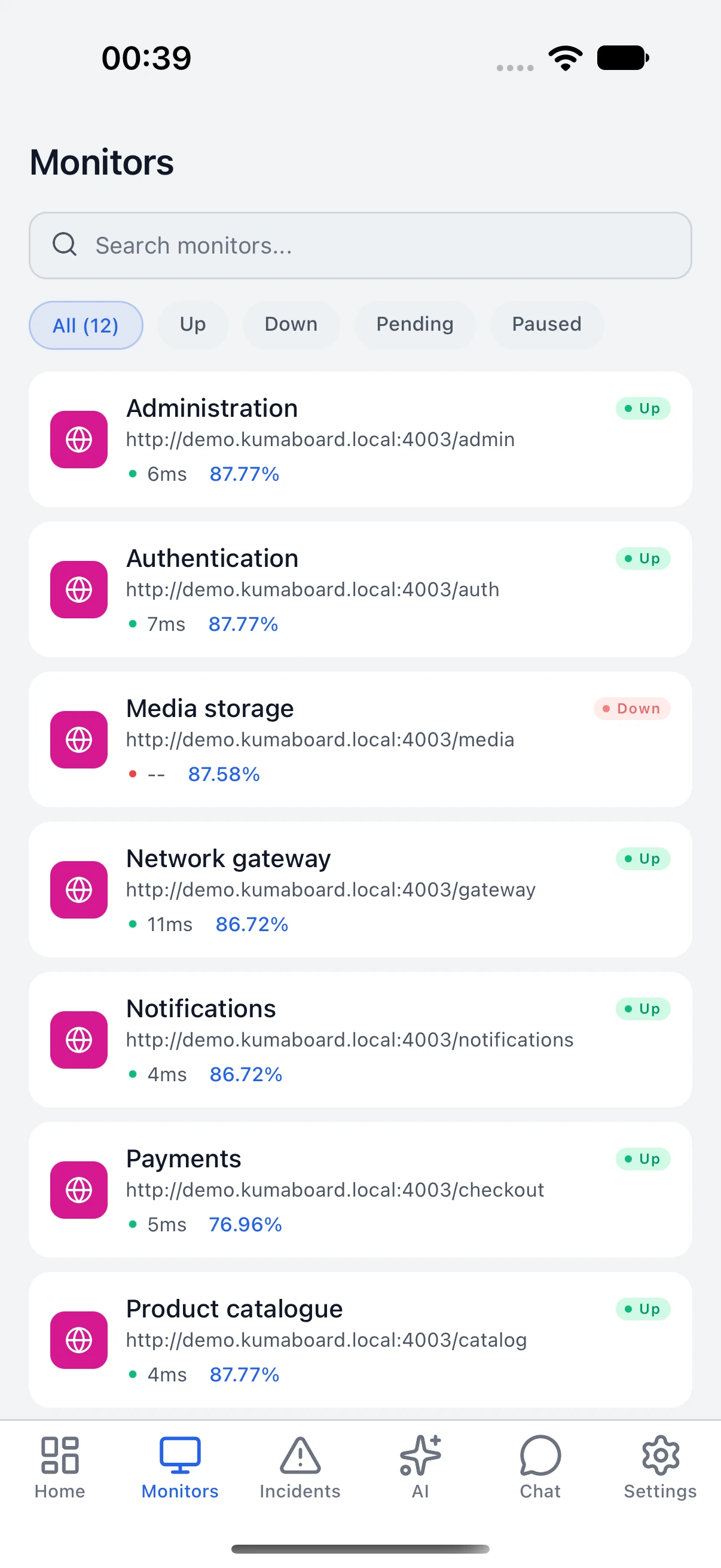
Search, filter and check your services. UP, DOWN, pending and paused statuses are clearly distinguished.
Local alerts while the app is open and a log of status changes help you track outages and recoveries.
Maintenance is free; on-call, HTTP inspector, multi-location ping and SSL certificate tracking are Premium: tools to understand and take action.
Real app screenshots, using a demo instance.
AI, UNDER YOUR CONTROL PREMIUM
Add context to your monitoring data with analyses, summaries and a conversational assistant.
Explore anomalies, possible causes and trends based on the available observations.
Read digests and incident reports to keep track of what happened.
Set up OpenAI, Gemini, Groq or Ollama on your network. Sending data to the cloud requires your consent.
A configured provider is required. Results depend on the available data.
YOUR KUMA, MADE SIMPLE
Your Uptime Kuma server stays at the center. KumaBoard brings it closer.
Enter its address and your Uptime Kuma credentials. Two-factor authentication is supported.
Check your monitors and their history. Clearly see when data is up to date or the connection is interrupted.
Track incidents, add notes and schedule maintenance windows from the app.
THE REAL APP
A clear interface, from phone to tablet. Explore the app's light and dark modes.
App screenshots match the selected language. Figures and incidents come from a demo instance with simulated history.
Your credentials are kept in your phone's secure storage.
Your observations stay on your device.
Cloud analyses and external vector storage are explicit choices. Ollama lets you use a model on your network.
START WITH THE ESSENTIALS
A one-time purchase to go further. The price is shown in your app store.
The essentials1 Uptime Kuma server
A one-time purchaseNo KumaBoard subscription
AI providers may charge their own fees.
BEFORE YOU GET STARTED
Yes. KumaBoard is a mobile client for your existing Uptime Kuma instance. Enter your server's address and your credentials. Versions 1 and 2 are supported.
Local alerts track UP/DOWN changes while the app is open. To be notified when the app is closed, set up Uptime Kuma’s built-in notifications (ntfy, Telegram, Pushover, email…) directly on your server.
Premium adds multiple servers, AI features, advanced analyses (SLA reports, PDF export) and pro tools: on-call, HTTP inspector, multi-location ping and SSL certificate tracking. It is a one-time purchase in your store. Maintenance, certificates shown in monitor details and local alerts remain free.
You configure your own provider: OpenAI, Gemini, Groq or Ollama. Cloud services use your provider credentials and require your consent. Ollama can run on your network. A vector database is optional; external storage requires separate consent.
Your servers, preferences and history are stored on your device; credentials use the system's secure storage. The app connects to your Kuma servers. If you enable a cloud analysis, the selected data is sent to your chosen provider. Read the privacy policy.
The iOS and Android releases are in preparation. App store links will be added here when they are available. If you have any questions, contact support@kumaboard.app.
YOUR KUMA GOES WITH YOU
Coming soon to iPhone, iPad and Android.
Download links will be added here at launch.